Understanding Brief Connect notifications
Brief Connect's notification system helps users stay informed about important changes and events within their records while maintaining control over what notifications they receive and how they receive them.
If you need to monitor how close the environment is to Exchange Online send limits for the notification sender account, see: Monitoring Exchange Online send limits.
What are Brief Connect notifications?
Brief Connect notifications are automated messages sent to users when specific events occur within the system. These notifications can be delivered through either Teams or email, depending on user preferences.
How do notifications work?
The notification process follows five main steps:
- Event Trigger - An event occurs in the system (e.g., new task assigned, status change)
- Template Selection - The system determines which notification template(s) apply
- Initial Audience Calculation - The system identifies who the audience is for a given template - e.g.: The 'NewTaskCommon.html' email is sent to all "Named roles" on a record
- Audience filtering - The system removes any recipients who have disabled that notification subscription type
- Notification Queue - Notifications are added to the queue and processed (sent to users)
Proxy Notifications
If a user is an active proxy for another user, the proxy is typically included as a CC on any notifications. Proxies won't receive a CC however if they have customised their proxy notification preferences and disabled the relevant notification type.
User Notification Settings
Users have two levels of notification control:
- Global Settings: Default preferences that apply to all records
- Record-Level Settings: Per-record overrides that replace global settings for individual records, useful for receiving extra notifications on high-priority records or muting records you are less interested in
Notification frequency
The Frequency setting controls which notifications you receive. Both personal and proxy notification settings offer the same frequency options, though the labels differ slightly:
| Frequency option | Personal label | Proxy label | What you will receive |
|---|---|---|---|
| All | All record activity | All record activity | All notifications for records you are named on |
| Important only | Only my tasks | Only important tasks | Only "task assigned to me" notifications — i.e. when you (or the user you proxy for) are directly assigned a workflow task. All other notification types are suppressed |
| Custom | Custom (select below) | Custom (select below) | Only the notification types you have enabled via the checkboxes. See Custom notification settings |
| Muted | Mute all | Mute all | No notifications, except system notifications that always send |
What does 'Only my tasks' or 'Only important tasks' mean?
If you select Only my tasks or Only important tasks , you will only receive notifications when a workflow task is assigned directly to you or your proxy (the "Record sent to me to action" notification type). All other notification types — status changes, comments, role changes, key date changes, etc. — are suppressed, even for records where you or your proxyhold the current task.\
Custom notification settings
When you select Custom (select below), the following checkboxes appear. Each checkbox controls a category of notifications — untick a checkbox to stop receiving that category. The Notification Template Reference table below maps each notification to its controlling custom setting.
| Custom checkbox | Notifications controlled |
|---|---|
| Roles changed on a record | When a user is assigned to or removed from a key role |
| Record sent to me to action | When a task is assigned directly to you, or a task of yours is closed by someone else |
| Record sent on or sent back to another role | When a record is sent on to the next workflow step or sent back (common notification to all named users except the task assignee) |
| Record status changed (e.g. decision made or closed) | All status and stage change notifications — On Hold, Cancelled, Withdrawn, Closed, Superseded, decision made, etc. |
| Comment added to record activity | Activity feed comments, external requests, and status change comments |
| Key date changed | When key dates on a record are modified |
| Record details changed | When record details are modified (e.g. title, reply type, contacts, organisation) |
| Role assigned to me | Personal notification confirming you have been assigned a role on a record |
System notifications
Some notifications are always sent regardless of your preference settings. These include:
- Proxy expiration reminders — sent when a proxy assignment is due to expire within a week
- PDF Pack exports — sent when a requested PDF pack export is ready for download
- Correspondence auto-responses — sent to the sender of a correspondence record based on auto-response rules
Notification delivery channels
Users can choose to receive notifications via email or Microsoft Teams:
- Email (default): Notifications are delivered to your Exchange Online mailbox as standard emails from the Brief Connect service account.
- Teams: Notifications appear in your Microsoft Teams Activity feed. Clicking a Teams activity notification opens the relevant record directly within the Brief Connect Teams app.
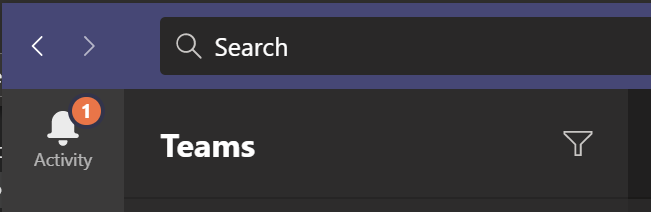
The delivery channel can be set independently for your personal notifications and your proxy notifications.
Who receives a notification
Most notifications are sent to 'Named Users' of a record. That means when an event occurs on a record that corresponds with a notification trigger (such as Record status changed), all Named Users on that record and their proxies are sent this notification, subject to their own subscription preferences.
Notification Processing
When a notification event occurs, Brief Connect:
- Identifies applicable notification templates
- Determines the intended audience based on template type
- Expands audience to include user proxies
- Filters recipients based on notification preferences
- Queues notifications for delivery
For example, when a new task is assigned:
- The system sends a personal notification to the assigned user
- A common notification goes to all named roles on the record (except the assignee)
- Proxies for eligible users are included
- Users' notification preferences are checked before sending
Available Notification Templates
Brief Connect uses different templates for various events. Notifications templates are managed Email Templates section of the Admin Panel.
For instructions on customising email body content and subject lines, see Managing Notification Templates in Brief Connect.
HTML templates can be modified, but note that:
- HTML syntax that is compatible with email clients is limited. We don't advise significant layout changes
- Images should be inlined as base64, although compatibility with all email clients is not guaranteed. Inlined images are well supported by Outlook clients
- Token availability (such as
{{recordId}}) are determined per record template. Tokens are not interchangeable between templates - for example, if a template does not already use an{{AssignedTo}}token in the base layout, it is likely not available for the given template. - Template filenames must not be changed
- There is no support to configure new notification types currently. We recommend using a plugin or our APIs and Webhooks to deliver additional notification types
Notification Template Reference
The Controlled by setting column shows which custom notification setting checkbox controls each notification when using the "Custom (select below)" frequency. Notifications marked "Always sent" bypass user preferences entirely.
| Notification Subscription type | Controlled by setting | System event trigger | Intended Audience | Template file | Subject |
|---|---|---|---|---|---|
| Roles changed on a record | Roles changed on a record | On record update, when new user assigned to key role | Each user who was allocated a role | RoleAllocated.html | Concat("Role allocated - ", RecordId, " - ", RecordTitle) |
| Roles changed on a record | Roles changed on a record | On record update, when user removed from key role | Each user who was removed from a role | RoleChanged.html | Concat("Role changed - ", RecordId, " - ", RecordTitle) |
| Role assigned to me | Role assigned to me | On record update, when new user assigned to key role | Each user who was allocated a role | RoleAssignedToMe.html | Concat("Role assigned - ", RecordId, " - ", RecordTitle) |
| Record status changed | Record status changed | On record update when transition flag CanRecordRecommendations=true and next state flag CanManageSignatures=true | Named users | StageManageSignatures.html | Concat("Decision made (manage signatures) - ", RecordId, " - ", RecordTitle) |
| Record status changed | Record status changed | On record status changed to OnHold | Named users | RecordOnHold.html | Concat("Status changed - ", RecordId, " - ", RecordTitle) |
| Record status changed | Record status changed | On record status changed to NoFurtherAction | Named users | RecordNoFutherAction.html | Concat("Status changed - ", RecordId, " - ", RecordTitle) |
| Record status changed | Record status changed | On record status changed to Cancelled | Named users | RecordCancelled.html | Concat("Status changed - ", RecordId, " - ", RecordTitle) |
| Record status changed | Record status changed | On record status changed to Withdrawn | Named users | RecordWithdrawn.html | Concat("Status changed - ", RecordId, " - ", RecordTitle) |
| Record status changed | Record status changed | When record superseded | Named users | RecordSuperseded.html | Concat("Status changed - ", RecordId, " - ", RecordTitle) |
| Record status changed | Record status changed | On record status changed to Closed | Named users | RecordClosed.html | Concat("Status changed - ", RecordId, " - ", RecordTitle) |
| Record status changed | Record status changed | On record update when stage changed from Initiate to any other stage | Named users | StagePrepareAndReview.html | Concat("Record is being prepared - ", RecordId, " - ", RecordTitle) |
| Record status changed | Record status changed | On record update when transition flag CanRecordRecommendations=true and next state flag CanManageSignatures=false | Named users | StageImplementAndClose.html | Concat("Decision made (implement and close) - ", RecordId, " - ", RecordTitle) |
| Record status changed | Record status changed | On record status changed from OnHold to any other value | Named users | RecordRemoveOnHold.html | Concat("Status changed - ", RecordId, " - ", RecordTitle) |
| Record status changed | Record status changed | On record status changed from Withdrawn to any other value | Named users | RecordRemoveWithdrawn.html | Concat("Status changed - ", RecordId, " - ", RecordTitle) |
| Record status changed | Record status changed | On record status changed from NoFutherAction to any other value | Named users | RecordRemoveNoFutherAction.html | Concat("Status changed - ", RecordId, " - ", RecordTitle) |
| Record status changed | Record status changed | On record status changed from Cancelled to any other value | Named users | RecordRemoveCancelled.html | Concat("Status changed - ", RecordId, " - ", RecordTitle) |
| Record sent to me to action | Record sent to me to action | New Record created (initial tasks) | The user the current task is assigned to (Initiator) | NewTaskPersonal.html | Concat("You have been assigned a task - ", RecordId, " - ", RecordTitle) |
| Record sent to me to action | Record sent to me to action | New Task assigned | The user the current task is assigned to | NewTaskPersonal.html | Concat("You have been assigned a task - ", RecordId, " - ", RecordTitle) |
| Record sent to me to action | Record sent to me to action | Task assignee changed | The user the current task is assigned to | NewTaskPersonal.html | Concat("You have been assigned a task - ", RecordId, " - ", RecordTitle) |
| Record sent to me to action | Record sent to me to action | On record update, when task closed not by assignee | The user(s) who were previously assigned a task that was closed by someone else | TaskClosedNotByAssignee.html | Concat("Your review task has been closed by another person - ", RecordId, " - ", RecordTitle) |
| Record sent on or back to another role | Record sent on or sent back to another role | New Record created (initial tasks) | Named Users - excluding any user currently assigned a task | NewTaskCommon.html | Concat("Key details changed - ", RecordId, " - ", RecordTitle) |
| Record sent on or back to another role | Record sent on or sent back to another role | New Task assigned | Named Users - excluding any user currently assigned a task | NewTaskCommon.html | Concat("Key details changed - ", RecordId, " - ", RecordTitle) |
| Record sent on or back to another role | Record sent on or sent back to another role | Task assignee changed | Named Users - excluding any user currently assigned a task | NewTaskCommon.html | Concat("Key details changed - ", RecordId, " - ", RecordTitle) |
| Record details changed | Record details changed | On record update when Record details changed (Title, ReplyType, ReplyFormat, DateWritten, DateReceived, From.Email, Contacts, DecisionCategory, Organization all levels) | Named users | KeyDetailsChanged.html | Concat("Key details changed - ", RecordId, " - ", RecordTitle) |
| Roles changed on a record | Roles changed on a record | On record update when Roles changed | The user allocated a role, and any user removed from a role | KeyDetailsChanged.html | Concat("Key details changed - ", RecordId, " - ", RecordTitle) |
| N/A — always sent | Always sent | Record created with correspondence with AutoResponseTemplate | The "From" Sender of the Correspondence item | CorroAutoResponse.html | "BMCP Notification" |
| N/A — always sent | Always sent | Runs once a day at 6:30 AM to notify users of proxy expiration | Any proxy user + the user they proxy for where the proxy assignment is due to expire within a week | ProxyExpiring.html | Concat("Expiring proxy access - ", execName, " - ", proxiesString) |
| N/A — always sent | Always sent | When export PDF pack is ready | The user who requested the PDF Pack | PdfPack.html | "BMCP - Your PDF Pack Export is here" |
| Key date changed | Key date changed | On record update when key dates changed | Named users | KeyDetailsChanged.html | Concat("Key details changed - ", RecordId, " - ", RecordTitle) |
| Access level changed | Always sent | On record update when Access Level changed | Named users | KeyDetailsChanged.html | Concat("Key details changed - ", RecordId, " - ", RecordTitle) |
| Comment added to record activity | Comment added to record activity | Submit external request | Named users | CommentAdded.html | Concat("New activity feed message - ", RecordId, " - ", RecordTitle) |
| Comment added to record activity | Comment added to record activity | User add comment to activity log from UI | Named users | CommentAdded.html | Concat("New activity feed message - ", RecordId, " - ", RecordTitle) |
| Comment added to record activity | Comment added to record activity | Record status changed with comments (status OnHold, Cancelled... etc.) | Named users | CommentAdded.html | Concat("New activity feed message - ", RecordId, " - ", RecordTitle) |
Glossary
Named Users: Any user who has been explicitly named on a record through role assignment. For example, if John Doe is assigned the Collaborator role on BMIN-1234, he is considered a named user for that record.